What's on this page
- The short answer: do you need a phone tripod
- Why a phone tripod helps more than you expect
- The five kinds of phone tripod
- Mini and tabletop tripods
- Full-size tripods with a phone mount
- Flexible and gorilla-style tripods
- The selfie-stick tripod hybrid
- Ring-light and creator combos
- The phone mount is the part that matters most
- What to look for: mount grip and clamp width
- What to look for: height and eye level
- What to look for: stability and weight
- What to look for: the ball head and framing
- What to look for: a Bluetooth remote
- Phone tripods for iPhone versus Android
- Matching the tripod to how you shoot
- Low-light and night photography
- Video, timelapse, and long exposures
- Group shots and self-portraits
- Travel and everyday carry
- What a phone tripod costs
- Common mistakes when buying a phone tripod
- Accessories and the small stuff
- The bottom line
Short answer: You need a phone tripod the moment your phone must hold still longer than your hands can, or point at a scene you are not standing behind: low light, video, timelapse, and group shots. Choose by the mount first, since a wide, firm, spring loaded clamp that clears your buttons and lenses matters more than the legs, then pick among mini, full size, flexible, selfie stick, and ring light types by your most common shot.
Reach for your phone in a dim room, a quiet street at dusk, or a family gathering you want to be part of, and you run into the same wall every time: your hands are not a tripod. The phone in your pocket already shoots beautifully in good light, but the moment the shutter needs to stay open, the video needs to stay level, or you need to step into the frame, the missing piece is not a better phone. It is something to hold the phone still. A phone tripod, whether a pocket-sized tabletop model or a full-size stand with a phone mount, is the cheapest accessory that unlocks the shots your phone can technically take but your hands keep spoiling.
This field note explains how to choose one. It covers why a phone tripod helps more than most people expect, the five main types and who each suits, the mount and clamp details that decide whether a tripod is any good, what actually matters when you compare stability, height, and heads, and how the choice differs for an iPhone versus an Android. It leans on the steadiness reasoning in our field note on taking sharp photos and our low-light field note rather than repeating them, and you can weigh a tripod against the rest of your gear budget in about a minute with our upgrade budget planner.
Key takeaways
- A phone tripod earns its keep whenever the phone must hold still longer than your hands can, or point at a scene you are not standing behind: low light, video, timelapse, and group shots.
- The phone mount, not the legs, is the part that decides whether a tripod is good. A wide, firm, spring-loaded clamp that clears your buttons and lenses matters more than any other spec.
- The five types, mini and tabletop, full-size with a phone mount, flexible gorilla style, selfie-stick tripod, and ring-light combo, each solve a different problem, and the right one depends on the shot you take most.
- A phone tripod grips the outside of the phone, so it works with iPhone and Android alike; the only things to check are clamp width and whether the jaws clear your case, buttons, and cameras.
- Because a phone weighs very little, you rarely need to spend much; pay more only for real height, outdoor stability, or a smooth video head.
The short answer: do you need a phone tripod
You need a phone tripod the moment your phone must hold still longer than your hands can, or point at a scene you are not standing directly behind. That single test settles most of the question. Steady hands can hold a phone acceptably still for a bright daylight snap, but not for a night shot where the shutter stays open for a second or more, not for a smooth video pan, not for a timelapse that runs for minutes, and certainly not for a group photo you want to be standing inside. Each of those is a shot your phone can technically capture and your hands quietly ruin, and a tripod is the piece that closes the gap.
If you only ever shoot casual, bright, one-handed photos, a tripod is genuinely optional, and there is no shame in skipping it. But almost everyone eventually wants one of those steadier shots: the city at blue hour, the family portrait with everyone in it, the recipe video for a friend, the star field on a clear night. When that want arrives, a small phone tripod is one of the least expensive accessories in all of photography and one of the most visibly effective, because it removes the single biggest source of blur in phone photography, which is the photographer. Set what you shoot most in the companion above and it will name the type that fits before you read another line.
Why a phone tripod helps more than you expect
The reason a tripod helps so much is that phone cameras fight blur in software, and software has limits. In dim light the phone has two choices: raise sensitivity, which adds noise, or lengthen the exposure, which invites shake. Modern phones lean on stacking and stabilization to hide handheld wobble, and they are impressively good at it, but a still phone on a tripod hands the camera a clean, motionless exposure that no amount of processing can fully replicate. The result is cleaner low-light files, sharper detail, and the option of genuine long exposures, the silky water and light-trail shots that are simply impossible to hold by hand.
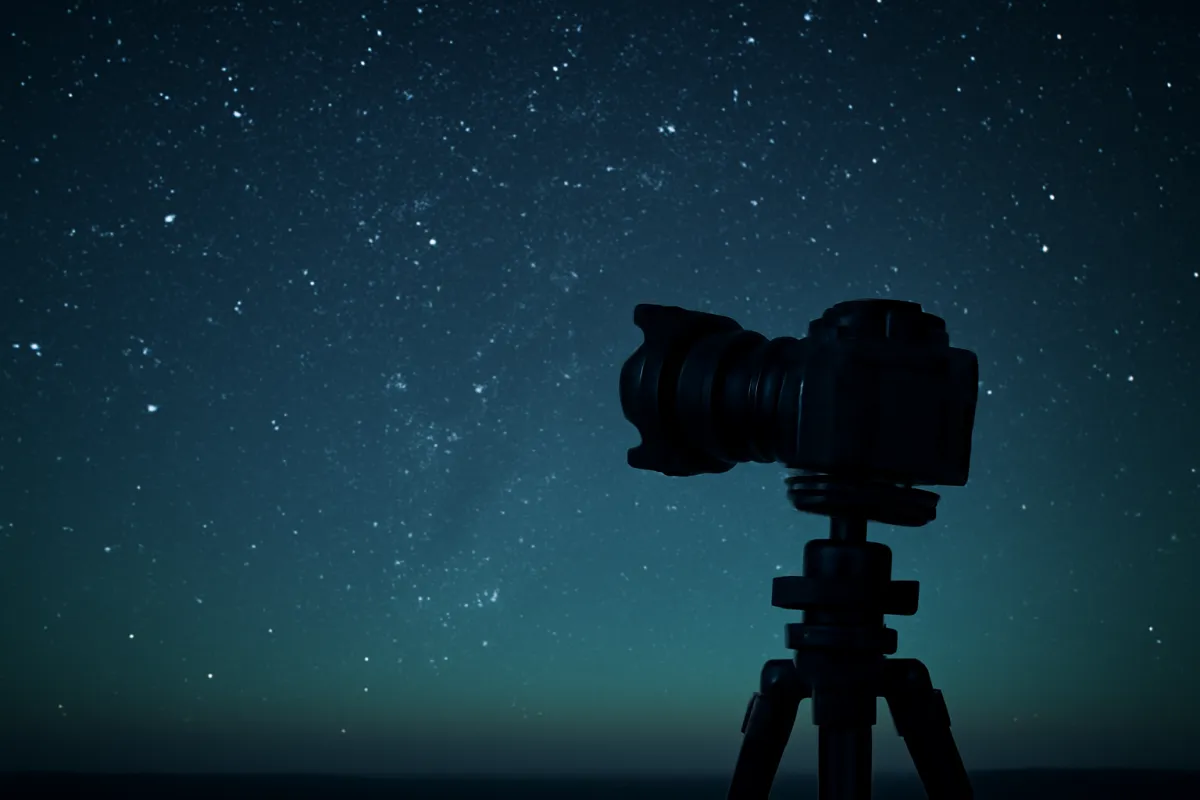
The benefit reaches well past low light. Video shot on a tripod stops the seasick drift that marks handheld phone footage, which is the difference between a clip that looks casual and one that looks composed. Timelapses need the frame locked for the whole run or the sequence jitters. Group shots and self-portraits need the phone parked at a distance while you walk into frame, which no arm can do. Even simple product, food, and flat-lay photos improve, because a fixed camera lets you tweak the scene and reshoot from the exact same angle. The tripod does not make the phone a better camera; it removes the one variable, your own motion, that was holding a good camera back. The same logic our sharp-photos field note applies to big cameras applies doubly to a light phone that is easy to nudge.
The five kinds of phone tripod
Phone tripods are not one product but five, and confusing them is how buyers end up with the wrong tool. The first is the mini or tabletop tripod, a palm-sized stand that raises the phone a few inches and packs into any bag. The second is the full-size tripod with a phone mount, a conventional tripod that extends to roughly eye level with a phone clamp on top. The third is the flexible or gorilla-style tripod, with bendable legs that wrap around railings, branches, and poles a rigid tripod cannot use. The fourth is the selfie-stick tripod, a hybrid whose handle extends as a stick and whose base splits into small tripod legs. The fifth is the ring-light combo, a tripod built around a lighting ring for video calls, makeup, and content.
Each type answers a different question, and none is best in the abstract. A tabletop tripod wins on pack size and price; a full-size tripod wins on height; a flexible tripod wins on where it can grip; a selfie-stick tripod wins on doubling as a handheld stick; a ring-light combo wins by bundling light with the stand. The sections below take each in turn, and the table further down maps type to the shot it serves. Read them against your own shooting rather than chasing the most versatile-sounding option, because a tabletop model you carry beats a full-size one you leave at home, exactly the way portability governs any gear decision.
Mini and tabletop tripods
The mini or tabletop tripod is the one most people should own first, and often the only one they need. It stands a few inches tall, folds to the size of a marker or a small brick, and weighs almost nothing, which means it actually rides in the bag or pocket where a bigger tripod stays home. On a table, a wall, a rock, or a stack of books it steadies the phone for low-light shots, food and product photos, video calls, and casual timelapses, and its low height is a feature for the surprisingly common low-angle shot that a tall tripod struggles to reach. For the price of a couple of coffees it removes hand shake from most everyday situations.
Its limits are exactly the ones you would guess. It cannot reach eye level, so standing group photos and over-a-crowd shots are out unless you find a raised surface to set it on. It depends on having something to place it on, which is usually fine indoors and at cafes but awkward in an open field. And the very cheapest ones use a weak clamp or a stiff, imprecise head that makes fine framing fiddly. None of that undercuts the core value: for desk video, propped low-light shots, and travel where every gram counts, a good tabletop tripod with a firm clamp is the highest-value phone accessory there is, and it pairs naturally with the everyday-carry mindset our travel and everyday shooting notes describe.
Full-size tripods with a phone mount
When the shot needs height, the full-size tripod is the answer, and it is really a normal tripod with a phone clamp on top. It extends to roughly eye level, commonly somewhere around five feet with the center column raised, which unlocks the shots a tabletop model cannot reach: standing group photos with you in them, vlogging and talking-to-camera video, shooting over a crowd at an event, and framing a scene at natural eye height rather than from a tabletop. Many of these tripods use a standard tripod screw beneath a removable phone holder, which means the same stand can later carry a light camera, an appealing bit of future-proofing for anyone whose hobby might grow.
The cost of height is bulk and, on cheap models, wobble. A full-size tripod is longer and heavier than a tabletop one even when folded, so it asks for a bag or a strap rather than a pocket, and the taller you extend it the more a thin, very light tripod can sway in a breeze or tip if bumped. The fixes are simple: choose a tripod with a reasonable footprint and leg diameter rather than the flimsiest telescoping stick, avoid running the center column all the way up when you can spread the legs instead, and hang your bag from the center hook for ballast if the design allows. Buy for the tallest shot you genuinely take often, not the tallest number printed on the box, and the full-size tripod becomes a lasting tool rather than a wobbly disappointment.
Flexible and gorilla-style tripods
The flexible or gorilla-style tripod trades height for a superpower: it grips things a rigid tripod cannot. Its legs are made of segmented, bendable joints that wrap around a stair railing, a fence post, a tree branch, a bike handlebar, or a thin pole, and stand on their own on uneven ground where a flat-footed tripod would rock. That makes it the natural pick for anyone shooting away from tables and level floors, on trails, at concerts, on playgrounds, or anywhere the only steady anchor is something to wrap around rather than something to stand on. Folded, it is compact enough to clip to a bag, so it carries almost as easily as a tabletop model while doing far more.
Its weaknesses follow from its design. The bendable legs are short, so like a tabletop tripod it cannot reach eye level unless it is wrapped around something already up high. The joints, especially on cheaper models, can loosen over time and sag under a heavier phone, so the clamp and the leg stiffness matter even more here than usual. And wrapping the legs securely takes a few seconds of fiddling that a set-it-down tripod does not. For the traveler, the hiker, and the creator who shoots in unpredictable places, though, none of that outweighs the ability to mount a phone almost anywhere, which is precisely the flexibility that makes this style a favorite for run-and-gun shooting. Pair it with the steady-shot habits in our low-light field note and awkward locations stop being a problem.
The selfie-stick tripod hybrid
The selfie-stick tripod is a clever hybrid that has quietly become one of the most popular phone accessories, because it is two tools in one. Collapsed, the base splits into three small legs so it stands as a compact tripod for group photos, timelapses, and propped video. Extended, the legs fold together and the shaft telescopes out into a selfie stick for reaching a wider self-portrait or a higher angle by hand. Most include a Bluetooth remote tucked into the handle, so you can trigger the shutter whether the rig is standing on its legs or held at arm’s length. For travel, social video, and casual group shooting, that dual nature covers a lot of ground in a single pocketable package.
The compromise is that a jack-of-two-trades rarely matches a specialist at either. As a tripod, the small folding legs are shorter and less stable than a dedicated full-size stand, so it is best on a table or the ground rather than extended tall in wind. As a selfie stick, the telescoping shaft is thin and can feel wobbly at full extension. The mount and remote quality vary widely, so a firm clamp and a reliable Bluetooth button are the features to check before anything else. Judged honestly as a portable, do-most-things travel tool rather than a best-in-class tripod, the selfie-stick tripod is an easy recommendation for anyone who wants group shots and self-portraits without carrying two separate gadgets.
Ring-light and creator combos
The ring-light combo is a different animal, because you are buying a light as much as a stand. A ring light is a circular LED that throws even, flattering, shadow-softening illumination straight at a face, which is why it became the default for video calls, makeup tutorials, piece-to-camera talking videos, and close-up content. The phone clamp usually sits in the middle of the ring so the camera shoots through the light, and the whole assembly rides on a tabletop or full-size tripod. For anyone whose main use is their own face on camera in a room without great window light, the combo solves lighting and steadiness together, which no plain tripod does.
The trade-off is that the tripod half of a ring-light combo is often the weaker half, since the design budget went into the light. The stand may be flimsier than a dedicated tripod at the same price, the clamp more basic, and the whole thing bulkier to pack because of the ring. It is also a specialist: for landscapes, travel, and anything shot in daylight the ring adds weight and value you will not use. So the honest way to buy one is to decide first whether your problem is light or steadiness. If you shoot your own face indoors and fight dim, unflattering light, the combo is a genuinely good answer. If you mostly shoot scenes and only need the phone held still, a plain tripod is lighter, cheaper, and better, and you can add a separate small light later if you ever need one. Our reasoning on spending only where the shot demands it, in the first-camera budget field note, applies cleanly here.
The phone mount is the part that matters most
If you take one thing from this field note, take this: the phone mount, not the legs, decides whether a tripod is good. A phone tripod can have flawless legs and a smooth head and still be useless if the clamp is weak, narrow, or clumsy, because the clamp is the single point holding your expensive phone above a hard floor. Most phone tripods use a spring-loaded clamp: two padded jaws that open against a spring and grip the phone by its short edges. A good one opens wide, closes with firm, even pressure, has soft pads that will not scuff the phone, and holds level without letting a heavier phone droop. A bad one is either too tight to fit a cased phone or too loose to trust.
Because the mount grips the outside of the phone rather than plugging into any port, it is also what makes phone tripods universal. It does not know or care whether the phone is an iPhone or an Android, a new model or an old one, in a case or bare, as long as the phone’s width falls inside the clamp’s range. That universality is a real convenience, but it puts all the weight on getting the clamp right. When you compare tripods, evaluate the mount first and the legs second, because a great tripod with a poor clamp is a poor tripod, and a modest tripod with an excellent clamp is often all you need. The chart below shows roughly where the real value of a phone tripod sits, and the mount leads for exactly this reason.
Where a phone tripod's real value sits
Illustrative split of what actually makes a phone tripod worth using. Sums to 100 percent.
Notice what leads: the clamp and the legs together are three quarters of the value, which is exactly why buying on features rather than grip is a mistake.
What to look for: mount grip and clamp width
Start every comparison at the clamp, and check two numbers before anything else: how wide it opens and how firmly it closes. The width range decides whether your phone fits at all, and the thing to verify is that the clamp opens wide enough for your specific phone with its case on, since a case adds several millimeters and a clamp sized for a bare phone can fail to close over a cased one. Larger phones and rugged cases are the usual casualties of a narrow clamp, so if you carry a big phone or a thick case, confirm the maximum opening rather than assuming. Most spring-loaded mounts span a generous range, but the cheapest can fall short at the wide end.
Grip is the second number, and it is harder to read from a spec sheet, so lean on how the clamp is built. Look for soft rubber or silicone pads that will not scratch the phone, jaws that meet the phone squarely rather than at the corners, and a spring firm enough that a nudge does not shift the phone or let it tilt out of level. The jaws should sit clear of the side buttons and the camera lenses, because a clamp that presses a power button or blocks a rear camera is a daily annoyance even if it holds fine. A mount that grips the phone by its short edges, clears the controls and cameras, and locks level with firm even pressure is worth more than any other feature on the tripod, and it is the first thing to get right.
What to look for: height and eye level
Height is the spec that most cleanly sorts phone tripods, because it is the one thing a small tripod physically cannot fake. Decide the tallest shot you take often and buy for that, not for the biggest number available. If your shooting is desk video, food, propped low-light shots, and travel, a tabletop tripod that raises the phone a few inches is not a compromise but the correct height, and its short stature makes low-angle shots easy. If you shoot standing group photos, vlog to camera on your feet, or need to clear a crowd, only a full-size tripod that reaches roughly eye level will do, and a tabletop model will leave you hunting for a wall to set it on every time.
The reason not to simply buy the tallest tripod is that height trades against both packability and stability. A tripod that extends to eye level is longer and heavier folded, so it carries less easily, and when a tall tripod is also cheap and very light it sways and tips exactly when extended to its full reach. The sweet spot for most people is either a genuinely pocketable tabletop tripod for everyday steadiness or a full-size tripod chosen with a bit of leg diameter and footprint so its height is actually usable outdoors. Owning one of each, a tiny one that lives in the bag and a full-size one for planned shoots, covers nearly everything, which is often cheaper and more useful than one tall, wobbly compromise.
What to look for: stability and weight
Stability is where a phone’s lightness cuts both ways. Because a phone weighs only a few ounces, it does not demand the heavy legs a big camera needs, so a modest tripod holds it fine indoors and on calm days. But that same lightness means the whole rig is easy to tip, and outdoors a light tripod with a tall, thin center column catches the wind and sways, softening the very long exposures you set it up to capture. The features that fight this are a wide leg footprint, some actual diameter in the legs rather than the flimsiest telescoping tubes, and a low center of gravity, which you keep by spreading the legs rather than cranking the center column to its limit.
A few habits matter as much as the hardware. Many tripods include a hook under the center for hanging your bag, and a little weight there dramatically steadies a light tripod in wind. Setting the tripod on solid ground rather than a soft or springy surface helps, as does letting it settle for a moment and using a remote or timer so your finger never touches the phone at the instant of capture, the same shake-avoidance discipline our sharp-photos field note preaches. Weight, then, is a balance: you want the tripod itself light enough to carry, because a tripod left at home steadies nothing, but stable enough to trust in the conditions you actually shoot in. Match the build to the environment, lighter for indoor and travel use, sturdier for wind and long exposures, rather than assuming heavier is always better.
What to look for: the ball head and framing
Between the legs and the clamp sits the head, the joint that lets you aim the phone, and its quality quietly shapes how pleasant the tripod is to use. The most common and most flexible design is a ball head: a ball in a socket that you loosen with one knob, tilt and swivel freely to any angle, then lock. A good ball head moves smoothly, holds firmly once locked, and does not sag or drift after you let go, which is what lets you frame precisely and trust the shot to stay put. A stiff, jerky, or slipping head makes fine framing a fight and can let a composition droop out of level between the moment you lock it and the moment you shoot.
The other detail worth checking is whether the head, or the phone clamp itself, lets you switch between landscape and portrait orientation, since so much phone content is shot vertical for social video and stories. Many phone clamps rotate or mount both ways, and a head that tilts far enough to shoot straight down is valuable for flat-lays, recipes, and desk work. You do not need an expensive head for a phone, because the load is so light, but you do want one that moves and locks cleanly and offers portrait as well as landscape. A smooth, secure head that frames the way you shoot is a small pleasure you feel every single time you set up, and a bad one is a small irritation you feel just as often.
What to look for: a Bluetooth remote
A Bluetooth remote is a small wireless button that fires your phone’s camera from a distance, and it solves a problem that is easy to overlook until it ruins a shot: pressing the screen to take the photo nudges the phone at the exact instant you need it still. On a long exposure or a low-light shot that tiny tap is enough to soften the image, which is self-defeating when the whole point of the tripod was to hold the phone steady. A remote removes that final source of shake entirely, and for group photos and self-portraits it also frees you from the ten-second timer scramble of pressing the screen and dashing into frame before the shutter fires.
Many phone tripods now bundle a remote, often clipped into a leg or the handle, and getting it included is a genuine plus worth a small premium. It pairs to the phone over Bluetooth like any accessory and typically works from across a room. You are not strictly required to have one, because both iPhone and Android can trigger the shutter with the built-in timer, and both offer voice or gesture triggers that achieve much the same hands-free result. But a physical remote is the most reliable and least fiddly of the options, and it turns the tripod from a thing that holds the phone into a thing that also lets you take the picture without touching it. When comparing two similar tripods, an included, reliable remote is a reasonable tiebreaker.
Phone tripods for iPhone versus Android
The good news for anyone choosing between an iPhone and an Android is that a phone tripod barely cares. Because the mount grips the outside of the phone rather than plugging into any port, the same tripod holds either, and there is no iPhone-only or Android-only category to worry about. What varies is not the brand of phone but its physical size and where its buttons and cameras sit, so the checks are the same for both: does the clamp open wide enough for this phone in its case, and do the jaws clear the side buttons and the rear cameras. A large phone of either kind is more likely to strain a narrow clamp than a small one, so the size matters more than the operating system.
The small differences that exist live in the shutter trigger, not the tripod. A bundled Bluetooth remote generally pairs with both platforms, though a given cheap remote occasionally behaves better with one than the other, which is worth a glance at the fine print if the remote is the reason you are buying. Beyond that, both iPhone and Android offer a built-in timer, and both provide voice or gesture shutter options that work well from the tripod, so a hands-free trigger is available either way even without a remote. In short, buy the tripod for your phone’s size and your shooting, not for its logo, and the iPhone-versus-Android question mostly answers itself.
Matching the tripod to how you shoot
With the types and the buying details in hand, the choice comes down to matching a tripod to the shot you take most, and a quick map makes that concrete. The table below pairs each type with the job it does best and the thing to watch out for, so you can find your row rather than weighing every option in the abstract. Read it the way you would read a trailhead sign: locate where you are actually going, not every path that exists.
| Tripod type | Best for | Watch out for |
|---|---|---|
| Mini / tabletop | Desk video, food and product, propped low-light, travel | Cannot reach eye level; needs a surface to stand on |
| Full-size with phone mount | Standing group shots, vlogging, shooting over a crowd | Bulkier to carry; cheap tall ones sway in wind |
| Flexible / gorilla style | Wrapping around railings, poles, and branches on the move | Short reach; joints can loosen under a heavy phone |
| Selfie-stick tripod | Group shots and self-portraits in one packable tool | Less stable extended; jack-of-two-trades compromises |
| Ring-light combo | Talking-to-camera video and close-ups in dim rooms | Bulky; the stand half is often the weaker half |
The map also explains why many people end up with two: a tiny tabletop or flexible tripod that lives in the bag for everyday steadiness, and a full-size tripod for planned shoots that need height. That pairing is usually cheaper and more useful than one do-everything tripod that does nothing especially well. Set your own use, height need, and budget in the companion above and it will land you on the row that fits, with the one detail that matters most for your case.
Low-light and night photography
Low light is where a phone tripod earns its cost most dramatically, because dim scenes force the exact trade a tripod resolves. Handheld, the phone must keep the shutter fast to avoid your shake, which starves the sensor of light and pushes it toward noise. On a tripod, the phone can leave the shutter open far longer, gather the light it needs, and produce a clean, detailed image no handheld shot can match. This is what makes cityscapes at blue hour, lit interiors, candlelit scenes, and the whole family of long-exposure effects, silky water, light trails, star fields, possible on a phone at all, and it is why the tripod is the first accessory any low-light phone shooter should own.
Getting the most from it combines the tripod with a couple of habits our low-light field note covers in depth. Trigger the shutter with a remote or the timer so your finger never touches the phone at capture, since even a gentle tap undoes the steadiness you set up. Give the tripod a moment to settle after you let go, especially on a light model or in a breeze, and hang a bag from the center hook if the wind is stiff. If your phone or camera app offers a dedicated night or long-exposure mode, the tripod is what lets that mode reach its full effect, because those modes assume the phone is not moving. The reasoning our night-sky field note lays out for cameras applies to a phone on a tripod almost unchanged: a still camera and a long exposure are what pull a picture out of the dark.
Video, timelapse, and long exposures
Video is the second great use, and a tripod transforms it. Handheld phone video carries a constant low-level drift and wobble that reads as amateur even when the content is good, while a tripod locks the frame so a static shot looks composed and a pan looks deliberate. For talking-to-camera clips, tutorials, interviews, and product demos, that stability is the difference between footage that looks casual and footage that looks made on purpose. A tripod also lets you set the phone once and step in and out of frame freely, which is impossible to do smoothly with an arm, and it is why anyone shooting regular video should treat a tripod as core kit rather than an accessory.
Timelapse and long exposure push the same requirement further, because both hold or repeat the frame over time and cannot tolerate any drift. A timelapse that runs for minutes needs the phone locked for the whole duration or the finished sequence jitters and skips, and a single long exposure needs the phone dead still while the shutter is open or the image smears. Neither is achievable by hand at all, so the tripod is not an improvement here but a prerequisite. The practical notes are simple: pick a stable footing, lock the head firmly, keep the phone plugged in or fully charged for long timelapse runs since they drain the battery, and trigger with a remote or the app so you never bump the frame at the start. Do that, and the tripod opens a category of shot the phone was always capable of but your hands never were.
Group shots and self-portraits
The most relatable reason people buy a phone tripod is simple: they are tired of being absent from their own photos. Handing the phone to a stranger, cramming everyone into an arm’s-length selfie, or propping it precariously against a salt shaker are all workarounds for the same missing piece, which is a way to park the phone at a distance and step into the frame. A tripod, whether a tabletop model on a raised surface, a full-size stand at eye level, or a selfie-stick tripod on its folding legs, solves it cleanly. You set the frame, walk into it, and trigger the shutter with a remote or timer, and the whole group is in the picture with no favors asked and no arm cropping half of it out.
The details that make this painless are height and the trigger. For a standing group you want a full-size tripod near eye level so the framing looks natural rather than shot up from a table, while for a seated group at dinner a tabletop tripod on the table is perfect. A Bluetooth remote is the quality-of-life upgrade here, because it lets you take the photo the instant everyone is ready and settled rather than racing a ten-second timer into position and hoping the moment holds. If you rely on the timer, use the longer setting and consider a burst so you catch a frame where nobody blinked. None of this is complicated, and that is the point: the tripod turns the group photo from a compromise into a shot you actually control, which is often the single feature that finally convinces someone to buy one.
Travel and everyday carry
Travel is where a phone tripod proves its worth and where the choice of type matters most, because the tripod you carry is the only one that helps and the one you leave behind helps nothing. On the road you want steadiness for dim interiors and blue-hour streets, height for the occasional group shot in front of a landmark, and the ability to plant the phone almost anywhere, all without hauling weight you will resent. That set of needs is exactly why a tabletop tripod, a flexible gorilla-style tripod, or a selfie-stick tripod tends to win for travel over a full-size stand: each packs small, weighs little, and rides in a day bag by default, so it is present when the shot appears.
The honest trade for that portability is height and outright stability, and it is usually the right trade. A pocketable tripod cannot reach eye level on its own, but a wall, a railing, or a table nearly always stands in, and a flexible tripod can wrap around the railing directly. It is less rock-solid than a heavy stand, but a phone weighs so little that a small tripod holds it fine in the calm conditions most travel shots happen in. The mindset is the same one our everyday-carry reasoning applies to cameras: the best tool is the one that comes along, and a light phone tripod that is always in the bag beats a better one sitting at home every single time. Weigh a tripod against the rest of your travel kit with our upgrade budget planner, and buy the one small enough that you will actually bring it.
What a phone tripod costs
Price sorts phone tripods cleanly, and seeing the tiers prevents both the overspend and the underspend. Think in rough bands defined by what each buys rather than exact figures, since real prices swing with features, brand, and sales. The encouraging news is that because a phone weighs so little, you rarely need the heavy, expensive build a camera tripod demands, so the whole category sits far below serious photographic tripods and a modest budget goes a long way.
Illustrative phone tripod price tiers
Rough typical cost by type. Midpoints of wide ranges, illustrative only.
Widths scale with the dollar midpoints. Notice how low the whole category sits: a phone asks far less of a tripod than a camera does, so a modest spend covers most needs.
The tiers carry a simple lesson: spend where the shot needs it and not a dollar past. A tabletop or flexible tripod in the tens of dollars genuinely covers desk video, casual low light, and travel, which is most people’s real use, so there is no need to reach higher unless a specific job demands it. The full-size tier is worth it when you truly need eye-level height and outdoor stability, and the ring-light combo when your problem is lighting your own face as much as steadying the phone. What you should resist is paying for reach and features you will not use, the same discipline our first-camera budget field note applies to bodies and lenses. A phone tripod is one of the highest-value-per-dollar accessories in photography precisely because the demands are light, so buy for your actual shot and pocket the difference.
Common mistakes when buying a phone tripod
A few predictable mistakes account for most phone tripod regret, and naming them saves the money. The first is buying on height alone, grabbing the tallest tripod on the shelf without checking whether it is stable at that height or small enough to carry, and ending up with a wobbly stick that stays home. The second is ignoring the clamp, the most important part, and discovering too late that it will not open over a cased phone or presses a side button every time. The third is overspending, paying camera-tripod money for a phone that weighs a few ounces and needs none of that heft, when a modest tripod would have held it perfectly.
The opposite errors are just as common. Some buyers underspend on the wrong axis, choosing the very cheapest tall tripod whose thin legs and weak clamp make it useless outdoors, when a slightly better full-size model would have worked, or a tabletop tripod would have served their real needs for less. Others buy the most versatile-sounding option, a do-everything rig, and find it does nothing especially well, when two simple tripods matched to their two real uses would have been better and often cheaper. And many forget the trigger, then fight the ten-second timer forever because they skipped a cheap remote. The through-line is the same: match the tripod to the shot you actually take, check the clamp first, and buy for your real use rather than a spec sheet, and almost every one of these mistakes disappears.
Accessories and the small stuff
The tripod is not quite the whole kit, and the small extras that round it out cost little and remove the usual friction. A Bluetooth remote is the first, and while many tripods bundle one, a spare or a better one is cheap insurance against the shutter-tap shake that softens long exposures and against the timer scramble on group shots. A small pouch or case protects a tabletop or flexible tripod knocking around in a bag, which matters for a tool you carry everywhere. And if you shoot long timelapses or record lengthy video, a way to keep the phone charged, a power bank or a nearby outlet, prevents the run from dying halfway, since those uses drain the battery fast.
A couple of situational add-ons are worth knowing about. A cold-shoe or clamp accessory arm lets you attach a small light or microphone alongside the phone for video, turning a plain tripod into a modest creator rig without buying a combo. A separate wider phone clamp can rescue an otherwise good tripod whose stock clamp is too narrow for a big cased phone, and a standard tripod screw adapter lets many phone tripods carry a small camera or an action cam later. None of this is essential, and the tripod plus a remote covers most people completely, but knowing the pieces exist means you can extend a phone tripod toward the exact job you have rather than buying a new one. Fold a few dollars of accessories into the plan the way our budgeting reasoning folds them into a larger kit, and the tripod stays the reliable, ready tool it is meant to be.
The bottom line
A phone tripod is the cheapest accessory that unlocks shots your phone can already take but your hands keep spoiling: the low-light scene, the smooth video, the timelapse, the group photo with you finally in it. The whole decision comes down to two moves. First, match the type to the shot you take most, a tabletop or flexible tripod for everyday steadiness and travel, a full-size stand for eye-level height, a selfie-stick tripod for group shots in one pocketable tool, a ring-light combo only if lighting your own face is the real problem. Second, judge the mount before the legs, because a wide, firm clamp that clears your buttons and cameras matters more than any other spec, and it is what makes the tripod work with an iPhone or an Android alike. Spend where the shot genuinely needs height, outdoor stability, or a smooth head, and resist paying for reach you will not use. Get those right and a phone tripod becomes what it should be: a small, inexpensive tool that quietly makes the camera in your pocket noticeably better.
KitBorough field notes exist to help you spend well, not to sell you anything, and nothing here is sponsored or tied to any brand. Every price band and percentage split is an illustrative planning figure rather than a quote or a measured test of any particular tripod, and real numbers shift with features, brand, and where you buy. Before you commit, hold a candidate tripod against the phone you actually own, with its case on, and against the specific shots you keep trying and failing to get by hand, then buy the one whose clamp fits your phone and whose height and portability match how you really shoot.
Frequently asked questions
Do I really need a phone tripod?
You need one the moment your phone has to hold still longer than your hands can, or point at a scene you are not standing behind. That covers low-light and night shots where the shutter stays open, video that must not wobble, timelapses that run for minutes, and group photos where you want to be in the frame rather than behind it. If you only ever shoot bright, casual, one-handed snaps, a tripod is optional. But almost everyone eventually wants one of those steadier shots, and a small phone tripod is one of the cheapest accessories that visibly improves what your camera already does.
What is the best type of phone tripod for a beginner?
For most beginners a mini or tabletop tripod with a solid phone clamp is the honest first pick, because it costs little, packs anywhere, and covers the majority of real situations: propping the phone for video calls, low-light shots on a table or wall, and casual timelapses. If you already know you want eye-level group photos or standing video, a full-size tripod with a phone mount is the better spend from the start. A flexible gorilla-style tripod is a strong middle option because it wraps around railings and poles that a rigid tripod cannot use. Start with the one that matches how you actually shoot, not the most versatile-sounding one on the shelf.
Will a phone tripod work with an iPhone and an iPhone case?
Almost always, because a phone tripod grips the outside of the phone rather than plugging into it, so it does not care which model you own. The part that matters is the clamp width: a spring-loaded phone mount typically expands to hold a wide range of widths, and a modern iPhone in a normal case sits comfortably inside that range. The two things to check are whether the clamp opens wide enough for your phone with its case on, and whether the jaws sit clear of the side buttons and camera lenses. A good mount holds the phone by its short edges and leaves the screen, buttons, and cameras unobstructed.
Are cheap phone tripods any good?
Many are genuinely fine for what they do, because a phone weighs very little and does not demand the heavy build a big camera needs. An illustrative twenty to forty dollar tabletop or flexible tripod with a decent clamp handles a phone well in normal conditions. Where cheap tripods fail is at height and in wind: a tall, thin, very light tripod can be tippy, and a weak clamp can let a heavier phone sag out of level. Spend a little more only when you need real height, outdoor stability, or a smooth head for video, and keep the budget modest for tabletop and travel use where the demands are light.
How tall should a phone tripod be?
It depends entirely on the shot, and there is no single right height. A tabletop tripod that raises the phone a few inches is perfect for desk video, food shots, and low-angle work, and its short stature is a feature, not a limit. For standing group photos, vlogging, or shooting over a crowd you want a full-size tripod that reaches roughly eye level, commonly somewhere around five feet with the center column up. The trade is always height against packability and stability: taller tripods carry less easily and, when cheap and light, wobble more. Buy for the tallest shot you genuinely take often, not the tallest number on the box.
What is a Bluetooth remote and do I need one with a phone tripod?
A Bluetooth remote is a small wireless button that triggers your phone camera from a distance, and many phone tripods now include one, often clipped into a leg. It matters because pressing the phone screen to take a photo nudges the camera at the exact moment you want it still, which softens low-light and long-exposure shots. For group photos and self-portraits a remote also frees you from the ten-second timer scramble. You do not strictly need one, since both iPhone and Android can trigger the shutter with a timer or voice, but a remote is a small convenience that removes shake and stress, and getting it bundled is a genuine plus.
Can a phone tripod hold a regular camera too?
Sometimes, but read the fine print rather than assuming. Many full-size tripods sold for phones use a standard tripod screw under a removable phone clamp, which means you can unclip the phone holder and mount a light camera on the same screw. What limits it is the weight rating and the head: a tripod tuned for a few ounces of phone may be too light and too tippy for a heavier camera and lens, and its head may not lock as firmly. If you want one tripod for both, buy for the heavier camera and add a phone clamp to it, rather than buying a phone tripod and hoping it carries the camera.
How much should I spend on a phone tripod?
Only as much as the job demands, and for most people that is modest. An illustrative tabletop or flexible tripod with a good clamp sits low, in the tens of dollars, and genuinely covers desk video, casual low light, and travel. A full-size tripod with a phone mount for eye-level group shots and standing video sits higher but still well short of a serious camera tripod. Ring-light and creator combos cost more because you are buying a light as much as a stand. The honest rule is to spend where the shot needs it, height, outdoor stability, or a smooth video head, and to resist paying for reach and features you will not use, since a phone asks far less of a tripod than a camera does.