What's on this page
- Why a gimbal is a different tool than a tripod or in-body stabilization
- Before you start
- Step 1: Weigh your heaviest video setup
- Step 2: Decide which size class you actually need
- Step 3: Read the payload rating honestly
- Step 4: Choose the handle and form factor for how you shoot
- Step 5: Balance the gimbal before you judge it
- Step 6: Learn the follow modes that matter
- Step 7: Set a budget and test before you commit
- A worked example: a mirrorless vlogger choosing a gimbal
- Gimbal vs tripod vs in-body stabilization vs bracing
- Travel, carry weight, and the case nobody mentions
- Common mistakes to avoid
- Troubleshooting the hard cases
- Your camera gimbal checklist
- The bottom line
Short answer: Choose a camera gimbal by weighing your heaviest realistic payload, including accessories, then buying at least thirty percent above that number in rated capacity. Pick a single-handed gimbal for a mirrorless body and a dual-handle gimbal only if your payload or your shooting position genuinely needs it, learn to balance it properly before judging how it performs, and learn pan follow, lock, and full follow before deciding you need a different model.
A camera gimbal is a strange purchase, because almost nobody buys the right size on the first try. Most buyers either chase a bigger payload rating than they need and then carry the extra weight on every shoot, or they buy to the camera they own today and find the gimbal maxed out the moment they add a microphone and a small monitor. KitBorough already covers stabilization inside the camera and the lens in our image stabilization field note, and this field note is about the external tool that takes over when a walk, a follow, or a long smooth pan asks for more than in-body correction can give.
The seven steps below run from weighing what the gimbal actually has to carry through the payload math, the handle and form factor that fits how you shoot, the balancing skill that decides whether any gimbal looks good, the follow modes that are the real learning curve, and a budget check before you commit. None of it assumes a specific brand or model, because the math is the same whether the payload is light or heavy; only the numbers change. Where a named model is genuinely searched for, such as the Zhiyun Crane line, the FAQ above addresses it honestly rather than pretending a review happened that did not.
Key takeaways
- Payload rating is the master number: weigh your heaviest realistic setup with accessories attached, add roughly thirty percent headroom, and buy a gimbal rated above that total rather than right at it.
- Single-handed gimbals suit most mirrorless kits and are what you will actually carry for hours. Dual-handle gimbals exist for heavier payloads and for low and overhead positions a single handle cannot reach, not as an upgrade for its own sake.
- Balancing is the real skill, not the gimbal's price tag. A poorly balanced gimbal fights its own motors and drains its battery, and a well balanced one makes an inexpensive model look smooth.
- Follow modes, pan follow, lock, and full follow, decide how a shot feels far more than the brand does. Learning them is a bigger upgrade than buying a second gimbal.
- A gimbal and a tripod solve different problems and most serious video kits own both. A gimbal is for movement; a tripod is for anything that holds still.
Why a gimbal is a different tool than a tripod or in-body stabilization
Three things correct camera shake, and they are not interchangeable even though marketing sometimes blurs them together. In-body and lens stabilization, covered in full in our image stabilization field note, correct small, fast vibration, the kind your hands produce just from holding a camera still. It works constantly, costs nothing to carry, and does essentially nothing for a big deliberate move like walking forward while filming.
A tripod, which our tripod buying field note covers on its own terms, removes motion entirely by removing you from the equation. It is unbeatable for anything static, a long exposure, a locked interview, a time-lapse, and it is the wrong tool the instant you need the camera to travel with you.
A gimbal sits in the gap between those two. Three small motors, one per axis of rotation, actively fight to keep the camera level and pointed where you set it while you walk, follow a subject, or pan smoothly, correcting far larger and slower movement than in-body stabilization is built for while still letting the camera travel through space the way a tripod cannot. That is the entire value proposition in one sentence, and it is also why a gimbal is the wrong purchase for someone whose footage is mostly static: you would be carrying a tool built for movement to solve a problem a tripod already solves for less money and no battery.
Before you start
Choosing and setting up a first gimbal is a beginner-friendly task with one genuinely fiddly step, balancing, that rewards patience over speed. Budget about an hour for your first proper setup session: enough time to weigh your gear, balance the gimbal with your actual lens attached, and run through the follow modes without rushing. Difficulty is beginner for the buying decision and intermediate for the balancing itself, mostly because the instructions that ship with most gimbals describe the mechanical steps without explaining why each one matters.
What you need before you start:
- A kitchen or luggage scale accurate to a tenth of a pound or about 50 grams, to weigh your camera and lens combination honestly rather than guessing from a spec sheet.
- Your heaviest realistic accessory load, meaning the microphone, monitor, or light you would actually mount for real shoots, not the bare camera alone.
- A flat, level surface to balance on, since balancing on an uneven table teaches the gimbal a lean that is not really there.
- Patience for the first balance. It is the one step in this whole field note that cannot be rushed without consequences; everything after it is comparatively easy.
- A sense of what you actually shoot. Walking and talking, run-and-gun documentary work, travel B-roll, and planned interview setups each point toward a different size and handle, which Step 4 below works through.
Weigh your own kit and run it through the gimbal sizing companion above before you shop. The payload number it gives you is the single most useful fact in this whole buying decision, and it takes thirty seconds to produce.
Step 1: Weigh your heaviest video setup
Start with a number, not a feeling. Put your camera body on a scale fully assembled: battery in, card in, the lens you would actually shoot video with attached. Write that number down, then add your heaviest realistic accessory load on top of it rather than weighing the bare camera and assuming accessories are negligible, because they rarely are. A shotgun microphone is light on its own but sits well forward of the lens mount, which matters more to balance than its raw weight suggests. A small monitor and a battery-powered light add up faster than most first-time buyers expect.
The total you land on, camera plus lens plus everything that rides on top during a real shoot, is your payload. It is the single number every other decision in this field note depends on, and it is worth getting right before you look at a single gimbal’s spec sheet.
Watch out: weigh the setup you actually use, not the lightest lens in your bag. If you own one compact prime and one larger zoom and shoot video with both, weigh the zoom, because a gimbal sized to your lightest lens will struggle the day you reach for the heavier one.
Step 2: Decide which size class you actually need
Payload rating is not a single number you compare directly across every gimbal on a shelf; it is a class, and the classes roughly track how heavy a camera system they are built to carry all day without the motors straining. A compact or pocket-class gimbal suits very light setups, often phones or the smallest mirrorless bodies with a small prime. A standard single-handed gimbal is the broadest class and the one most mirrorless shooters land in, comfortably carrying a mid-size body with a standard zoom and modest accessories. Heavier single-handed and light dual-handle gimbals step up for larger bodies, cages, and longer lenses. Professional dual-handle gimbals exist for small cinema cameras with a full accessory stack, a cage, a cine lens, a monitor, and a battery plate all mounted at once.
The honest way to find your class is the payload number from Step 1, run through the headroom math in Step 3, not the class a model’s marketing implies it belongs to. A gimbal named and priced like a professional tool is still the wrong purchase if your actual payload sits comfortably in the standard single-handed class; you would be carrying capacity you never load.
Step 3: Read the payload rating honestly
A published payload rating describes the heaviest load a gimbal’s motors can lift and hold level, which is not the same as the load it carries comfortably for a two-hour shoot. Running a gimbal right at its rated maximum tends to produce exactly the symptoms people blame on cheap gimbals: a faster-draining battery as the motors work harder, a slight wobble or lag when you move quickly, and less room to add one more small accessory later without crossing the line entirely.
The practical fix is the same headroom principle our tripod field note uses for load ratings: take your payload number from Step 1 and add roughly thirty percent before you go shopping. That inflated number, not your bare payload, is the rating to buy toward. It is not a safety margin against the gimbal breaking; gimbals generally fail soft, with a wobble or a drift, rather than suddenly. It is a margin against the motors working harder than they need to and against the kind of small accessory change, a bigger lens next year, a monitor added this spring, that would otherwise force a second purchase.
Watch out: a gimbal’s rated payload almost always assumes a specific range of lens lengths and a reasonably centered weight distribution. A long telephoto lens on a light body can weigh less than the rating suggests while still unbalancing a gimbal badly, because the weight sits far forward of the lens mount rather than centered over it.
Step 4: Choose the handle and form factor for how you shoot
Payload answers what the gimbal can carry; this step answers what you will actually carry for hours and in what shooting positions. Three form factors cover most buyers.
Single-handed gimbals are the default for a reason. They suit a mirrorless body and a modest lens, they are the lightest thing in this list to hold through a full day of walking and talking, and the single handle is enough for the great majority of standing, walking, and seated shots. If your payload from Step 1 sits in the standard class, a single-handed gimbal is very likely the right answer and a dual-handle model would mostly add weight you carry without using.
Dual-handle gimbals exist for two honest reasons rather than as a simple step up in prestige. The first is payload: heavier bodies, cages, and longer lenses genuinely benefit from two hands sharing the weight rather than one wrist doing all of it. The second is reach: a second handle unlocks low-mode shots near the ground and overhead shots raised above your head far more naturally than a single handle can manage, which matters if your work regularly needs those angles.
Pocket and compact gimbals trade payload and reach for size, suiting phones and the smallest mirrorless setups, and are worth considering if your payload is genuinely light and portability matters more than headroom for future gear.
Match the form factor to your actual payload class and your actual shooting positions, not to which one looks more capable in a photo. Price whichever one fits honestly in the gimbal sizing companion before you commit.
Step 5: Balance the gimbal before you judge it
This is the step that decides whether any gimbal, inexpensive or expensive, performs well, and it is the one most first-time buyers rush or skip. A gimbal’s motors are built to correct small errors, not to compensate for a camera that is badly out of balance on the arm. An unbalanced gimbal fights itself: the motors work harder than they should, the battery drains faster, and footage can show a subtle wobble or drift that looks like a hardware fault but is actually a setup problem.
Balance in the same order every time, with the gimbal powered off so the arms move freely under your hand. Roll first: slide the camera along the roll axis until it sits level and stays level when you tilt it gently side to side without drifting back. Tilt second: adjust the camera’s position so it holds level when tipped forward and backward without swinging on its own. Pan third: balance so the camera stays put when turned left and right. Only after all three axes hold their position with the power off should you turn the gimbal on and let the motors take over.
A first balance with a bare camera and lens typically takes five to ten minutes once you know this order. Add a microphone, a monitor, or a light, and plan for fifteen to twenty minutes, because each accessory shifts the center of gravity enough that the balance usually needs to be redone from the start rather than nudged. Most gimbals let you save a profile once a specific camera and lens combination is balanced, so that work pays off on every future shoot with the same setup.
Watch out: do not judge a gimbal’s smoothness from a poorly balanced test run. A genuinely capable gimbal can look mediocre with ten minutes of rushed balancing, and a lot of buyer’s remorse traces back to this step rather than to the hardware.
Where a first-time gimbal buyer usually goes wrong
Illustrative weighting, out of 100, of how often each mistake is what a disappointed first gimbal owner actually did. This is a mental model drawn from common experience rather than a measured study, so read it as where to spend your own attention first.
The top two mistakes together account for most of the disappointment first-time buyers report, and both are entirely avoidable with the headroom math in Step 3 and the balancing discipline in Step 5. Tune the model to your own shooting with the companion above.
Step 6: Learn the follow modes that matter
A gimbal’s follow modes decide how much of your own movement reaches the camera versus gets smoothed away, and learning three of them is a bigger upgrade to your footage than almost any hardware change.
Pan follow, the common default, keeps the camera level and holds tilt and roll steady while letting it turn with you as you walk left and right. This suits the large majority of walking and talking footage, where you want the horizon locked but the framing to follow your own direction of travel.
Lock mode fixes the camera’s orientation entirely regardless of how you move the handle underneath it, which is the mode for a planned push or pull toward a subject where any drift in framing would be distracting, or for carrying the gimbal through a doorway without the shot swinging.
Full follow passes on pan, tilt, and roll together, so the camera tracks your movement in all three axes rather than holding any of them steady. It suits following unpredictable action, a pet, a child, a moving subject at an angle, where you need the camera to lean and tilt with the chase rather than stay artificially level.
There is no single correct mode, and most real shoots move between all three within a few minutes. The practical habit is to decide, before you start a shot, whether you want it to feel anchored (lock), naturally walked (pan follow), or alive and reactive (full follow), and set the mode on purpose rather than leaving it on the default for every shot.
Watch out: many gimbals let you remap a trigger button to temporarily switch modes mid-shot, which is worth learning early. Stopping a shot to dig through a menu defeats a large part of why you bought a gimbal in the first place.
Step 7: Set a budget and test before you commit
Price a gimbal the same way our tripod field note prices support gear: as a share of the kit it carries, not as an isolated number. A rough illustrative starting point is five to twenty percent of your camera and lens value for a single-handed gimbal, climbing toward the higher end as payload and feature requirements grow, with dual-handle professional rigs often running closer to the value of the camera body itself for buyers whose cinema kit demands that class.
Before the return window closes, test loaded with your own gear rather than a demo unit. Balance it with your actual camera and lens, power it on, and walk a hallway or a short outdoor stretch while deliberately changing pace, stopping and starting, and turning corners. Watch for a wobble that was not there when you held the camera still, listen for motor strain, and check remaining battery life against the manufacturer’s claim under your actual payload rather than a lighter demo setup. A gimbal that performs perfectly balanced and stationary on a desk can still struggle once it is actually walked.
Watch out: test the follow modes from Step 6 during this same session, not after you have decided to keep the gimbal. A mode that feels unintuitive on day one often stays unintuitive, and it is worth knowing before the return window shuts rather than after.
A worked example: a mirrorless vlogger choosing a gimbal
Here is one realistic buyer run through all seven steps with numbers, so the decision is concrete rather than abstract. The setting: someone who shoots walking vlogs and occasional run-and-gun interviews on a mirrorless body with a standard zoom, and wants to add a shotgun microphone for better on-camera audio. Every number below is an illustrative starting point, not a prescription, and matches the companion above when the same inputs are entered.
Step 1. The camera and standard zoom weigh 2.2 lb on the kitchen scale. The shotgun microphone adds 0.5 lb, mounted on the hot shoe. Total payload: 2.7 lb.
Step 2. That payload sits comfortably in the standard single-handed class rather than needing a heavier or dual-handle gimbal.
Step 3. Adding thirty percent headroom to 2.7 lb gives a minimum rating to shop for of 3.5 lb. A gimbal rated right at 2.7 lb would be running close to its limit on day one, before any future accessory gets added.
Step 4. Shooting is mostly walking and talking with occasional handheld interviews, both well suited to a single-handed gimbal, which is also lighter to carry through a full afternoon than a dual-handle rig would be.
Step 5. First balance, done with the microphone attached since that is the real shooting configuration, takes about 10 minutes: roll first, then tilt, then pan, each checked with the gimbal powered off before moving to the next axis.
Step 6. Walking shots default to pan follow. A planned push toward a subject during the interview segment switches to lock mode for that one shot, then back to pan follow for the walk afterward.
Step 7. Illustrative starting spend for a gimbal in this class: $320. Against a kit valued around $2,500 body, lens, and microphone combined, that is 12.8% of the kit’s value, which is a reasonable illustrative share for a support tool rather than a sign of overspending.
Where a gimbal's weight budget actually goes
Illustrative split, summing to 100, of what makes up a typical mirrorless video payload once it is actually loaded onto a gimbal. The four parts sum to the whole payload, so no single one explains the total alone.
Accessories and reserved headroom together account for over a third of a realistic payload, which is exactly what Step 1 and Step 3 above ask buyers to account for before shopping rather than weighing the bare camera alone. Adjust the split to your own kit with the companion above.
Gimbal vs tripod vs in-body stabilization vs bracing
None of these four tools makes the others obsolete, and the honest comparison is about which problem each one solves rather than which one is “better.”
In-body and lens stabilization, covered fully in our image stabilization field note, corrects small fast shake constantly and costs nothing to carry, but does little against a deliberate walking or following move.
Bracing, leaning against a wall, a railing, or your own body, is free, requires no purchase at all, and works surprisingly well for short static or slow-panning shots, as the railing photo above shows. Its limit is obvious: it needs something to brace against, and it does nothing for a shot that travels any real distance.
A tripod, covered in our tripod buying field note, wins decisively at anything static, a locked interview, a long exposure, leaving the camera unattended, none of which a gimbal is built for since its motors work continuously while powered on.
A gimbal is the tool for movement: walking, following, and smooth panning that the other three cannot deliver. It is also the heaviest, most expensive, and most battery-dependent of the four, which is exactly why Steps 1 through 3 above exist, to confirm the problem you actually have is one only a gimbal solves before paying for it.
Most serious video kits eventually own more than one of these four rather than treating any single tool as a universal answer. Decide from the shots you are actually missing, the same diagnostic our camera upgrade field note applies to bodies and lenses, applied here to support gear instead.
Travel, carry weight, and the case nobody mentions
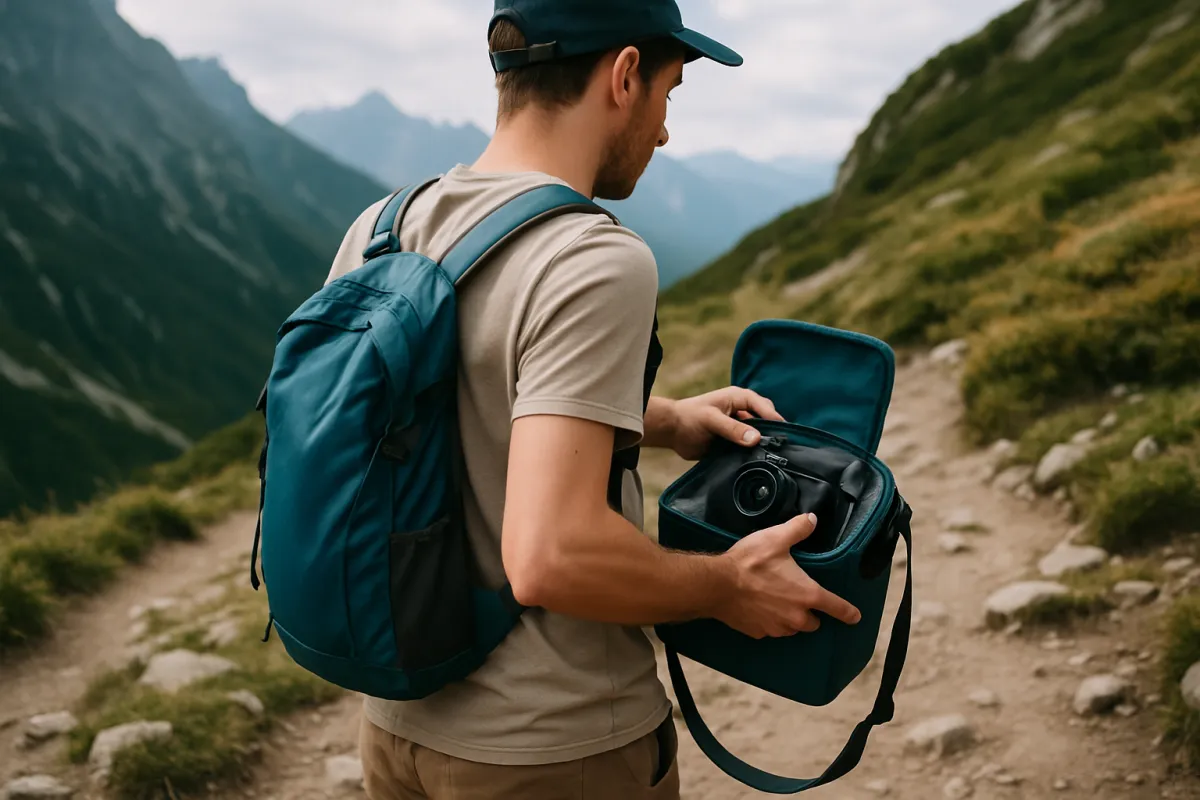
A gimbal’s own bulk is a real cost that rarely makes it into a buying decision made from a product photo alone. Folded, a single-handed gimbal is roughly the size of a large bottle and most dual-handle models fold into something closer to a small toolbox, and both need their own padded case if you are checking a bag or hiking any real distance, which is weight and space on top of the camera bag itself, not instead of it.
Battery life under real payload, not the number on the box measured with a light demo camera, is the other travel-specific question. A gimbal running close to its rated capacity drains faster than one with headroom to spare, which is one more reason the thirty percent margin from Step 3 pays off specifically on a long travel day when charging is not convenient. Carry a spare battery for the gimbal itself the same way you would for the camera, since a dead gimbal with a charged camera on top of it is still a dead gimbal.
For anyone whose travel kit is already tight on space, the honest question from the comparison section above is worth asking again here specifically: does this trip actually involve enough walking or following footage to justify the extra case, or would bracing and the camera’s own stabilization cover what is actually needed for a handful of travel clips. Our camera bag field note and our first camera budget field note both cover the wider packing and spending trade-offs this question sits inside.
Common mistakes to avoid
- Buying to the bare camera weight and ignoring accessories. A microphone, a monitor, and a light add up fast and shift the balance point more than their weight alone suggests.
- Skipping the headroom math. A gimbal bought right at your payload weight is already near its limit before you add anything in the future.
- Rushing the balance. A badly balanced gimbal makes good hardware look mediocre, and a lot of return requests trace back to this step rather than a real defect.
- Buying a dual-handle gimbal for a light mirrorless kit. It mostly adds weight and cost you will carry without ever needing the extra capacity.
- Never learning the follow modes beyond the default. Pan follow is a fine starting point, not the only setting worth knowing.
- Treating the gimbal as a tripod replacement. It is a different tool built for movement, and it does nothing useful for a shot that needs to hold perfectly still and unattended.
- Ignoring the case and the carry weight. A folded gimbal and its case are real bulk on a travel day, not a footnote.
Troubleshooting the hard cases
What if my gimbal wobbles even after balancing? Redo the balance from the start rather than nudging the current one, in the order roll, tilt, pan, with the gimbal powered off. A small error on an earlier axis compounds once the motors engage, and starting over is usually faster than chasing a wobble axis by axis.
What if the motors feel like they are straining or the gimbal runs hot? Check your payload against the rated capacity honestly, with every accessory attached. Running near or over the rated maximum is the most common cause, and the fix is either removing an accessory or sizing up to the next class rather than continuing to push a gimbal past its comfortable range.
What if a specific accessory, like a monitor, keeps throwing off the balance? Balance with that accessory attached every time rather than balancing bare and adding it after, since the whole point of the balancing order is finding the center of gravity for the setup you will actually shoot with.
What if the follow mode I want is not doing what I expect? Confirm which axes that mode is meant to pass through versus hold steady; a mode behaving exactly as designed can still feel wrong for a specific shot, which usually means a different mode, not a different gimbal, is the fix.
What if I am not sure a gimbal is the right purchase at all? Revisit the comparison section above honestly. If most of your footage is static or your handheld clips already look steady, the money may be better spent elsewhere, and refusing an unnecessary purchase is a better outcome than owning gear that sits in a bag.
Your camera gimbal checklist
- Weigh your camera, lens, and every accessory you actually mount, and write down the total payload.
- Add roughly thirty percent headroom to that number before shopping by rated capacity.
- Pick single-handed, dual-handle, or compact based on your payload class and the shooting positions you actually use.
- Balance in order, roll, tilt, pan, with the gimbal powered off, before judging how it performs.
- Save a balance profile for each camera and lens combination you shoot with regularly.
- Learn pan follow, lock, and full follow, and practice switching between them mid-walk.
- Test loaded with your own gear, walking and turning corners, before the return window closes.
- Check battery life under your real payload, not the box's lightest demo figure.
- Confirm you actually need movement a tripod and in-body stabilization cannot deliver before buying at all.
- Budget a case and the extra carry weight into your travel kit, not just the gimbal's own price.
The bottom line
Choosing a camera gimbal is mostly arithmetic dressed up as a gear decision. Weigh what you will actually mount, including the microphone and the monitor you always forget to add, build in headroom rather than buying to the exact number, and pick a handle and size class that matches how you really shoot rather than how capable a bigger model looks in a photo. From there the thing that actually decides how good your footage looks is not the brand, it is whether you balanced the gimbal properly and whether you learned its follow modes well enough to choose one on purpose for each shot.
Remember, too, that a gimbal is one tool among four. In-body stabilization, bracing, a tripod, and a gimbal each solve a different problem, and the honest first question is whether the shots you are missing are actually a movement problem at all. If they are, run your own kit through the gimbal sizing companion above, size to the payload you actually carry, and spend the hour learning to balance it properly before deciding whether the gimbal was worth it.
This field note exists to size and balance a gimbal correctly, not to sell a specific brand or model: no manufacturer paid for a placement, and where a named model such as the Zhiyun Crane line is mentioned, it is because readers search for it by name, not because it was tested here. Payload figures, spending shares, and timing estimates throughout are illustrative starting points rather than measured results or manufacturer specifications; confirm the current rated payload, weight, and price of any specific gimbal directly from the manufacturer or a retailer before buying, since models and specifications change between revisions.
Frequently asked questions
How do I know what payload rating I need from a gimbal?
Weigh your heaviest realistic setup fully assembled, meaning the camera, the lens, the battery, and anything that rides on top such as a microphone, a small monitor, or an on-camera light, then add roughly thirty percent on top of that number as working headroom. A gimbal loaded right at its published maximum tends to run its motors harder, drain its own battery faster, and have less room left for small accessory changes later. The headroom is not a safety margin against breakage so much as a margin against the motors struggling, which shows up as a wobble or a drift rather than a sudden failure.
Should I buy a single-handed gimbal or a dual-handle gimbal?
Match it to the camera and the shooting day, not to how serious the purchase feels. A single-handed gimbal suits a mirrorless body and a modest lens, is lighter to carry for hours, and is what most vloggers and run-and-gun shooters end up using daily. A dual-handle gimbal exists because some payloads outgrow a single handle comfortably, typically a larger body with a cage, a longer lens, or a small cinema camera, and the second handle also unlocks low-mode and overhead shooting positions a single handle cannot reach as naturally. Buying a dual-handle rig for a light mirrorless kit usually just adds weight and cost you will carry without using.
How long does it take to balance a gimbal?
A first balance with a bare camera and lens typically takes five to ten minutes once you know the order: roll, then tilt, then pan, done with the gimbal powered off so the arms move freely. Add a microphone, a monitor, or a light and the time climbs toward fifteen to twenty minutes, because each accessory shifts the center of gravity and the balance usually has to be redone from the start rather than nudged. Once a specific camera and lens combination is balanced and the gimbal remembers that profile, swapping back to it later is nearly instant on most models.
Is the Zhiyun Crane 4 worth it?
That depends entirely on what payload and what kind of shoot you are buying for, not on the model name alone. Gimbals in that size and price class are generally built for heavier mirrorless rigs or small cinema cameras with a cage, a cine lens, and accessories, rather than for a bare compact mirrorless body, so the honest first question is whether your own payload and your own accessories actually reach that class. If your kit is lighter than that, a smaller single-handed gimbal is often more gimbal than a model built for a heavier payload, since you end up carrying capacity you never use. Specifications, payload ratings, and pricing change between model revisions, so confirm the current numbers directly from the manufacturer or a retailer before buying rather than trusting a figure from memory or an old review.
Do I actually need a gimbal, or is in-body stabilization enough?
For a lot of casual video, in-body stabilization plus steady walking technique is genuinely enough, and a gimbal is not a universal upgrade over it. In-body and lens stabilization correct small, fast shake, which is exactly what handheld footage usually suffers from, and they cost nothing extra to carry. A gimbal's job is different: it keeps the camera level and smooth through big, deliberate moves, walking while filming, following a moving subject, or a long smooth pan, which stabilization alone struggles to fully absorb. If your footage is mostly static interviews and short handheld clips, try stabilization and careful bracing first. If you are walking, following, or panning through most of your shots, a gimbal solves a problem stabilization cannot.
What are follow modes on a gimbal, and which one should I use?
Follow modes decide how much of your own movement the gimbal passes on to the camera versus smooths away. Pan follow, the common default, keeps the camera level and lets it turn with you left and right while holding tilt and roll steady, which suits most walking and talking footage. Lock mode fixes the camera to a single framing regardless of how you move the handle, useful for a planned push or pull where you want zero drift. Full follow passes on pan, tilt, and roll together, which suits following unpredictable action like a pet or a child but can feel shakier on purpose. There is no universally correct mode; the right one depends on whether the shot wants to feel anchored or alive.
Can a gimbal replace a tripod?
Only partway. A gimbal excels at smooth movement, which a tripod cannot do at all without added gear, but a tripod wins decisively at anything static: a long exposure, a locked interview frame held for an hour, or simply setting the camera down and walking away, none of which a gimbal is built for since its motors are actively working the whole time it is powered on. Most video-focused kits end up owning both rather than treating one as a replacement for the other, and our tripod field note covers the support side of that same decision.
Why does my gimbal drift or tilt on its own after I balance it?
Nearly always an incomplete balance rather than a faulty gimbal. Drift after balancing usually means one axis, most often roll or tilt, was left slightly off level before you moved to the next axis, and the small error compounds once the motors are powered on and holding position. Redo the balance from the start with the gimbal off, confirm the camera sits level with the roll axis to the eye before touching tilt, and check that nothing like a cable or a strap is snagging an arm and pulling it off center during movement.